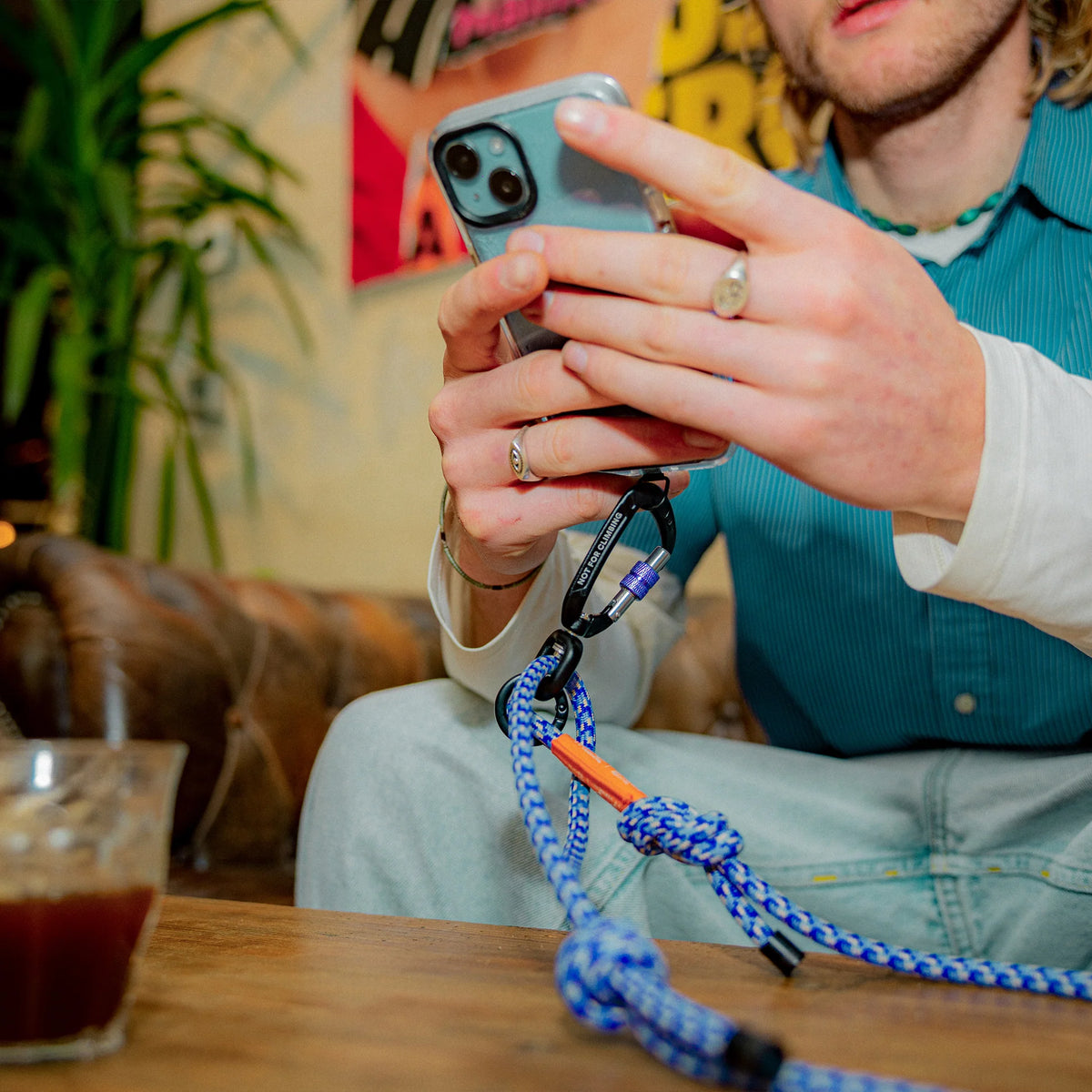
The YY Vertical VerticalLeash is a climbing-inspired lanyard for your phone, keys and climbing shoes, so the small stuff stays clipped on and out of your hands. Clip it to a bag, belt loop or any stable anchor point and stop leaving things behind at the wall.
The adjustable textile cord, with its rope-style finish, lets you set a comfortable carrying length, and the quick-clip carabiner attachments swap between items in seconds. We like it most for hanging climbing shoes on the outside of a pack: it frees up space inside and keeps dirt, damp and shoe smell away from the rest of your kit. It works just as well for travel, van life and everyday use.
To use it with your phone, sit the supplied adaptor inside a compatible phone case with the tab poking through the charging-port opening, then clip the leash to the adaptor's ring. Check both are seated securely before you trust it with your phone.
Why you'll love it
Carries the essentials – phone, keys, climbing shoes or small accessories
Hands-free – everything secure and within easy reach
Adjustable length – set it to a comfortable carrying position
Quick-clip carabiners – attach, remove and swap items in seconds
Phone adaptor included – connects the leash to a compatible phone case
Looks the part – durable textile cord with a distinctive rope-inspired finish
Good to know
In the box – 1 x YY Vertical VerticalLeash with carabiner attachments and 1 x YY Vertical phone adaptor; the phone, keys and shoes shown are not included
Colours – Blue or Cream
Not safety equipment – this is a lifestyle accessory, not PPE, a belay sling or climbing safety gear. Never use it to support body weight, arrest a fall, tow loads or take dynamic climbing forces or significant impacts
Who it's for
Climbers who want their shoes, phone and keys clipped on and findable at the gym, the crag or on the road, and a practical gift for anyone who climbs.
Excellent selection, customer service and shipping. Big thanks to Nate for reaching out and getting delivered in time
PayPal Pay Later Messaging
Step 1: Choose message placement
Click the button below and then hover over your page to select a placement.
Step 2: Paste and save
You have copied the placement for the Product Page.
Go back to the App Embeds section, and in the Paypal Advanced Settings, paste the copied value into the
Product Page field and click the 'Save' button in the top right corner.