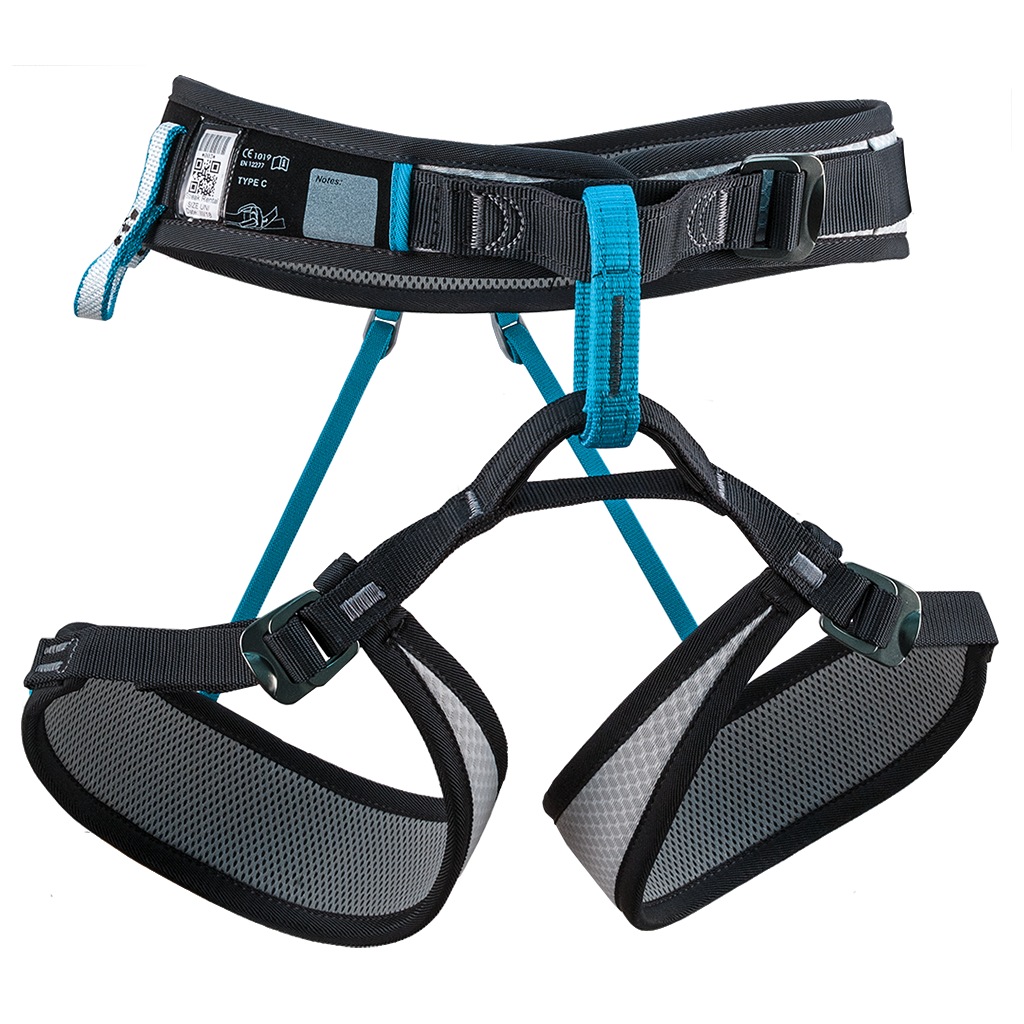
The Rock Empire Streak Rental is a harness built specifically for climbing walls and hire fleets. It's engineered to survive heavy daily use across many different climbers, and designed so staff can fit it, check it and turn it around fast.
A fully adjustable sliding waistbelt gets a secure fit on a wide range of climbers fast. The belay loop-to-leg-loop connection is reinforced to reduce the risk of an incorrect tie-in, the single gear loop is load-bearing so it won't fail if someone clips into it by mistake, and a clear inspection window makes safety checks quick at the hire desk. Belay loops are colour coded by size, so a glance tells you which harness is which. AL 7075 aluminium quick-adjust buckles and a white body finish the job. It's made in the EU and EN 12277 compliant. Choose the Streak Rental when you need a hard-wearing, misuse-resistant, easy-to-inspect harness for group and hire use.
Product Details
Colour: White, with colour-coded belay loops by size
Gender: Unisex
Age group: Adult
Sizes: Confirmed on dispatch; available in XS-M, S-XL and XXL
Built for fleet wear and tear – purpose-designed for the daily grind of gym and rental use
Fast fitting – fully adjustable sliding waistbelt with AL 7075 quick-adjust buckles
Colour-coded belay loops by size – quick size checks at the hire desk
Reduced mis-tie-in risk – reinforced belay-loop to leg-loop junction
Load-bearing single gear loop – designed to resist failure if misused
Inspection window – fast, clear safety checks
Good to know
Sizes: available in XS-M, S-XL and XXL; the size of your unit is confirmed when dispatched
Weight: 331 to 345g depending on size
Colour: white, with colour-coded belay loops by size
Fit: unisex, adult
Certification: EN 12277, made in the EU
Who it's for
Climbing centres, gyms, instructors and anyone running group sessions who needs a hard-wearing, easy-to-inspect harness for beginner and intermediate climbers in a shared fleet.
Choosing a selection results in a full page refresh.
Opens in a new window.
PayPal Pay Later Messaging
Step 1: Choose message placement
Click the button below and then hover over your page to select a placement.
Step 2: Paste and save
You have copied the placement for the Product Page.
Go back to the App Embeds section, and in the Paypal Advanced Settings, paste the copied value into the
Product Page field and click the 'Save' button in the top right corner.