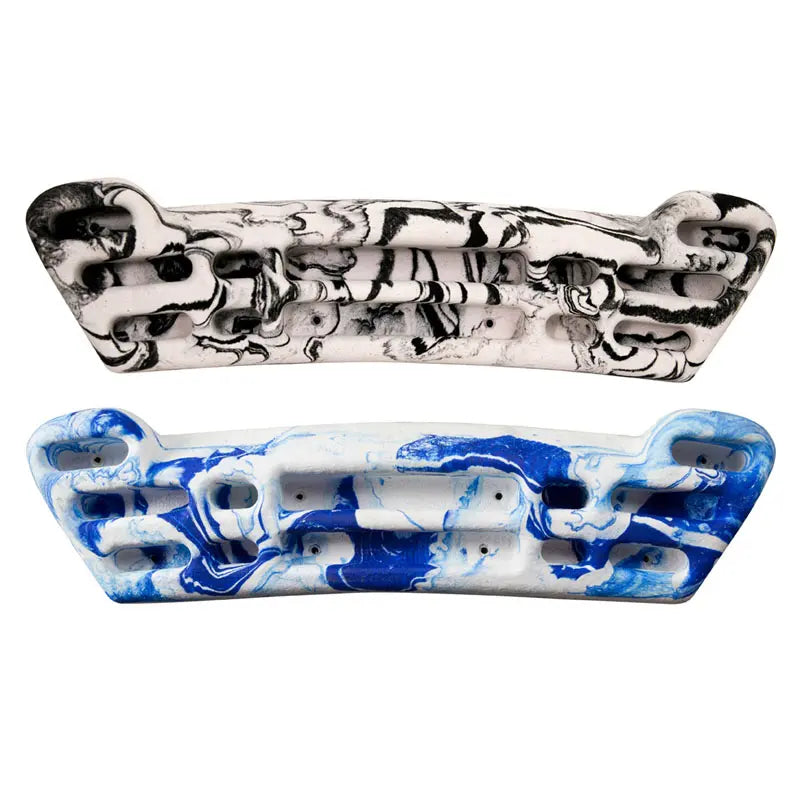
The Metolius Project Hangboard is a compact, fairly priced fingerboard designed as a first board for climbers starting structured training. It comes with a training guide and mounting hardware, so you can go from box to first hang in an afternoon.
At 622 × 152 mm and 480 g of resin, it fits into a home setup without taking over the room. The holds sit on an ergonomic arc that tapers outward and downward to reduce joint strain, and the fine-grained texture is kind to skin so you can train more often. The hold selection is planned for progression: jugs for warm-ups and assisted hangs, slopers for open-hand strength, four- and three-finger slots, two-finger pockets, and a deep and a shallow edge for controlled steps up in difficulty.
Product Details
Colour: Black, Blue
Material: Resin
Weight: 480 g
Why you'll love it
Beginner-friendly – an ideal first hangboard with an ergonomic, strain-reducing arc
Balanced hold selection – jugs, slopers, finger slots, pockets and edges for progressive loading
Skin-friendly texture – fine-grained finish for regular sessions
Complete setup – training guide, mounting hardware and instructions in the box
Compact and fair value – quality training at an accessible price
Good to know
Holds: 2 full-hand jugs, 2 flat slopers plus 1 central sloper, 2 four-finger slots, 2 three-finger slots, 4 two-finger pockets, 1 deep edge and 1 shallow edge
Size: 622 × 152 mm
Material: resin
Weight: 480 g
Includes: training guide, mounting hardware, instructions
Colours: black, blue
Who it's for
Beginner and intermediate climbers buying their first hangboard or setting up a home training space. If you're moving from casual climbing to structured finger training, start here.
The team at the Escapades worked hard to get me the product I wanted. Great customer service.
Choosing a selection results in a full page refresh.
Opens in a new window.
PayPal Pay Later Messaging
Step 1: Choose message placement
Click the button below and then hover over your page to select a placement.
Step 2: Paste and save
You have copied the placement for the Product Page.
Go back to the App Embeds section, and in the Paypal Advanced Settings, paste the copied value into the
Product Page field and click the 'Save' button in the top right corner.