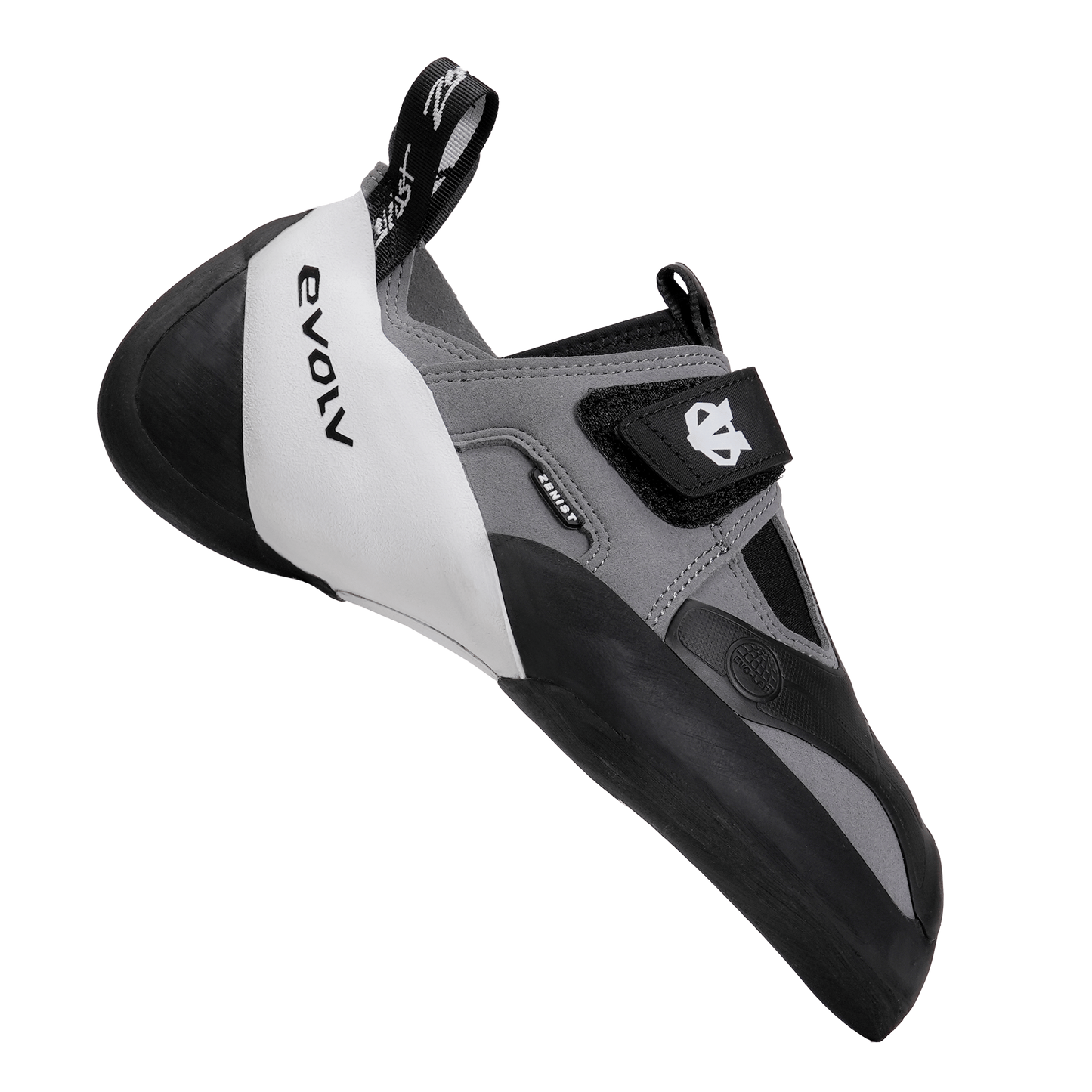
The Evolv Zenist 2026 is Evolv's softest, most sensitive climbing shoe, made for competition-style climbing, indoor volumes and technical movement. If your sessions are full of smears, toe hooks and heel hooks on big volumes, this is the shoe built for exactly that.
Fully redesigned for 2026, the Zenist gets a new upper construction that fits like a glove, plus an improved toe patch and pull tabs. The sock-style synthetic upper with a single strap wraps the foot closely, and an oversized toe patch gives you a huge rubber surface for toe hooking. Underneath, a minimal 1.0mm forefoot midsole and a 3.5mm EVO 74 rubber outsole put maximum feeling and friction under your toes, while an FLX rubber rear rand keeps the heel flexible and secure. At 200g per shoe it's light and quick to move in. Choose the Zenist when you want the softest, most sensitive option in Evolv's range for indoor walls, comp routes and board training.
Product Details
Colour: Black / Grey / Yellow
Gender: Unisex
Age group: Adult
Size system: UK
Sizes in this listing: UK 7–12 (including half sizes where listed)
Upper material: Synthetic (sock-style)
Fit / volume: Regular volume
Why you'll love it
Ultra-soft construction – maximum sensitivity and flexibility
Competition performance – designed for volumes and modern routes
Glove-like fit – redesigned upper for precision and comfort
High-friction rubber – EVO 74 outsole for superior grip
Highly responsive – built for dynamic and technical movement
Vegan – synthetic construction throughout
Good to know
Sizing: your street shoe size gives an ultra-snug, max-performance fit; add half a size for a snug fit you can wear for a full session; add 1 to 1.5 sizes for comfort
Sizes in this listing: UK 7 to 12, in half sizes (full range EU 38-48)
Weight: 200g per shoe
Upper: synthetic, sock-style
Outsole: 3.5mm EVO 74 rubber
Midsole: 1.0mm forefoot tensioned rubber
Closure: single strap
Colour: Black / Grey / Yellow
Who it's for
Intermediate and advanced climbers focused on indoor climbing, competition climbing, bouldering and training boards, who want maximum sensitivity and friction.
Choosing a selection results in a full page refresh.
Opens in a new window.
PayPal Pay Later Messaging
Step 1: Choose message placement
Click the button below and then hover over your page to select a placement.
Step 2: Paste and save
You have copied the placement for the Product Page.
Go back to the App Embeds section, and in the Paypal Advanced Settings, paste the copied value into the
Product Page field and click the 'Save' button in the top right corner.