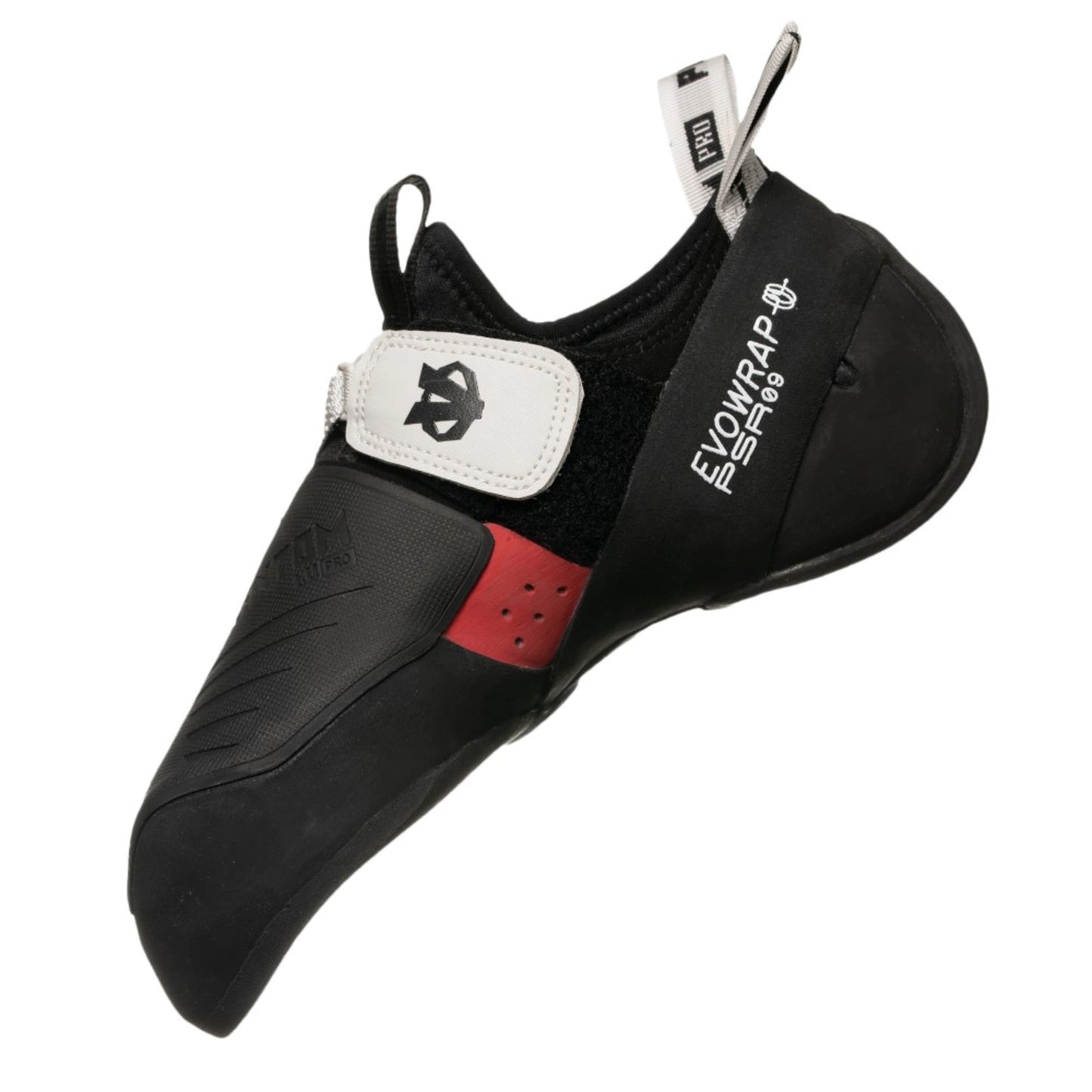
Evolv's most advanced shoe, in a low volume fit. The Evolv Phantom Pro LV Climbing Shoes take the Phantom Pro's power and precision and tailor them for narrower feet, or for climbers who want a tighter, more performance-driven fit with even more tension.
The full-length 1mm EvoWrap™ tensioned rubber midsole creates a highly responsive platform for small edges and dynamic footwork, and Evolv rates the shoe PSR 9: firmly in the power category, built for generating force on the smallest footholds. The 3.5mm EVO 74 outsole gives maximum friction on rock and indoor volumes, outperforming traditional compounds, while a large textured toe patch and the Power Lock Heel™ make toe and heel hooks feel locked in. An injection-moulded, downturned front midsole with Love Bump and a multi-point sock closure with adjustable strap complete the build. It is vegan, fully resoleable and weighs 570g per pair.
Sizing: Evolv shoes are not designed to be aggressively downsized. Street shoe size gives an ultra-snug max performance fit, +1 size a snug but wearable performance fit, and +2 sizes a more relaxed comfort fit.
Product Details
Colour: Black / Grey
Gender: Unisex
Age group: Adult
Size system: UK
Sizes in this listing: UK 4–8 (including half sizes where listed)
Upper material: Synthetic (vegan)
Fit / volume: Low Volume (LV)
Why you'll love it
Maximum power and tension – full-length 1mm EvoWrap™ midsole
Low volume fit – snug, precise performance for narrower feet
High-friction rubber – 3.5mm EVO 74 outsole
Advanced hooking – large textured toe patch and Power Lock Heel™
Built for steep terrain – downturned front midsole with Love Bump
Fully resoleable – vegan synthetic upper
Good to know
Weight: 570g per pair
Performance rating: PSR 9
Closure: multi-point sock closure with adjustable strap
Sizes: UK 4–8 in this listing (Evolv makes it in EU 35–49.5, including half sizes)
Who it's for
Advanced climbers with narrow or low-volume feet on steep sport climbing, bouldering and competition climbing. If your feet are average width, look at the medium volume Phantom Pro instead.
Choosing a selection results in a full page refresh.
Opens in a new window.
PayPal Pay Later Messaging
Step 1: Choose message placement
Click the button below and then hover over your page to select a placement.
Step 2: Paste and save
You have copied the placement for the Product Page.
Go back to the App Embeds section, and in the Paypal Advanced Settings, paste the copied value into the
Product Page field and click the 'Save' button in the top right corner.