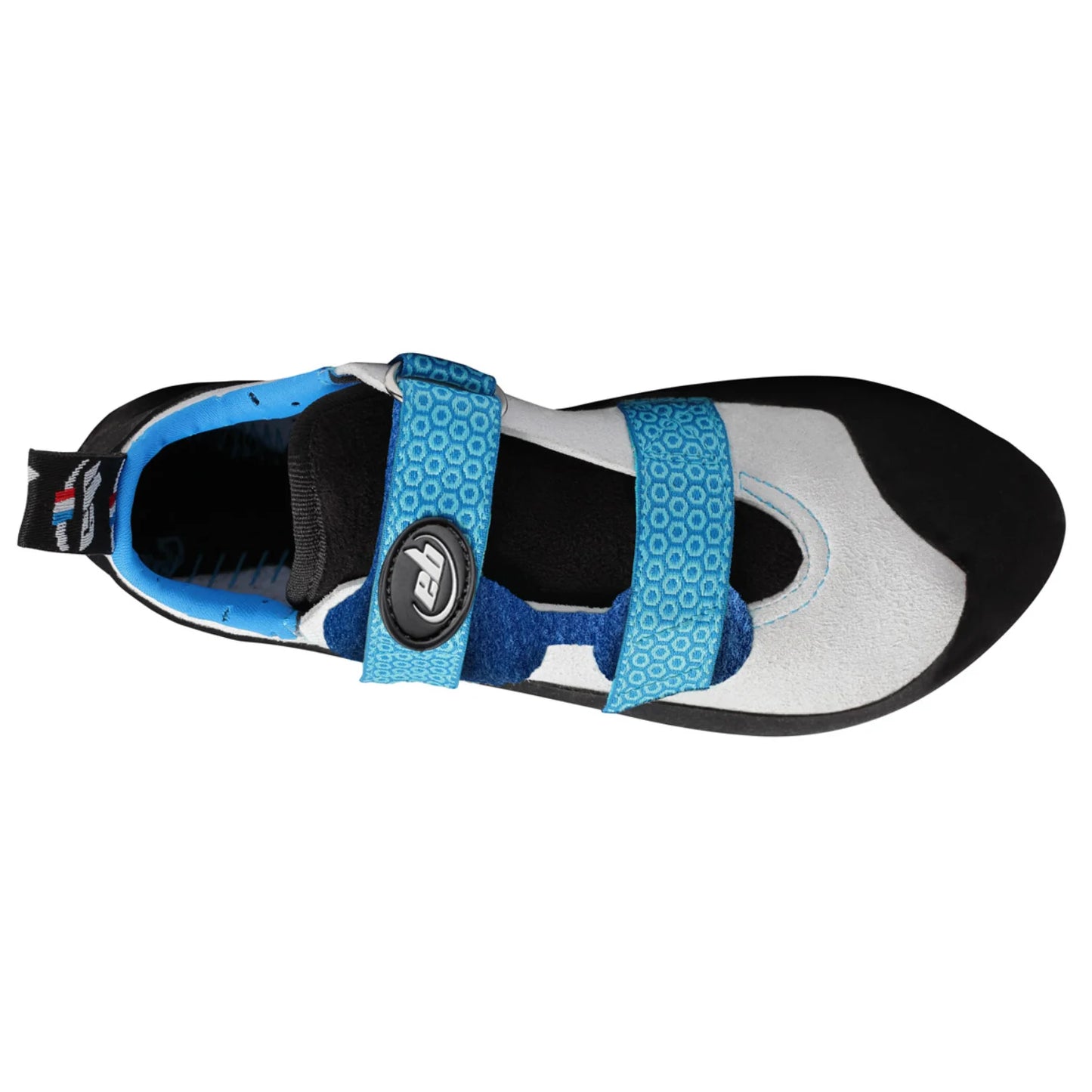
The EB Kids Neo Climbing Shoes are real climbing shoes for children, built with the same materials and performance as EB's adult range. They give young climbers a serious, educational and technical tool for learning to climb properly, while respecting the health of growing feet.
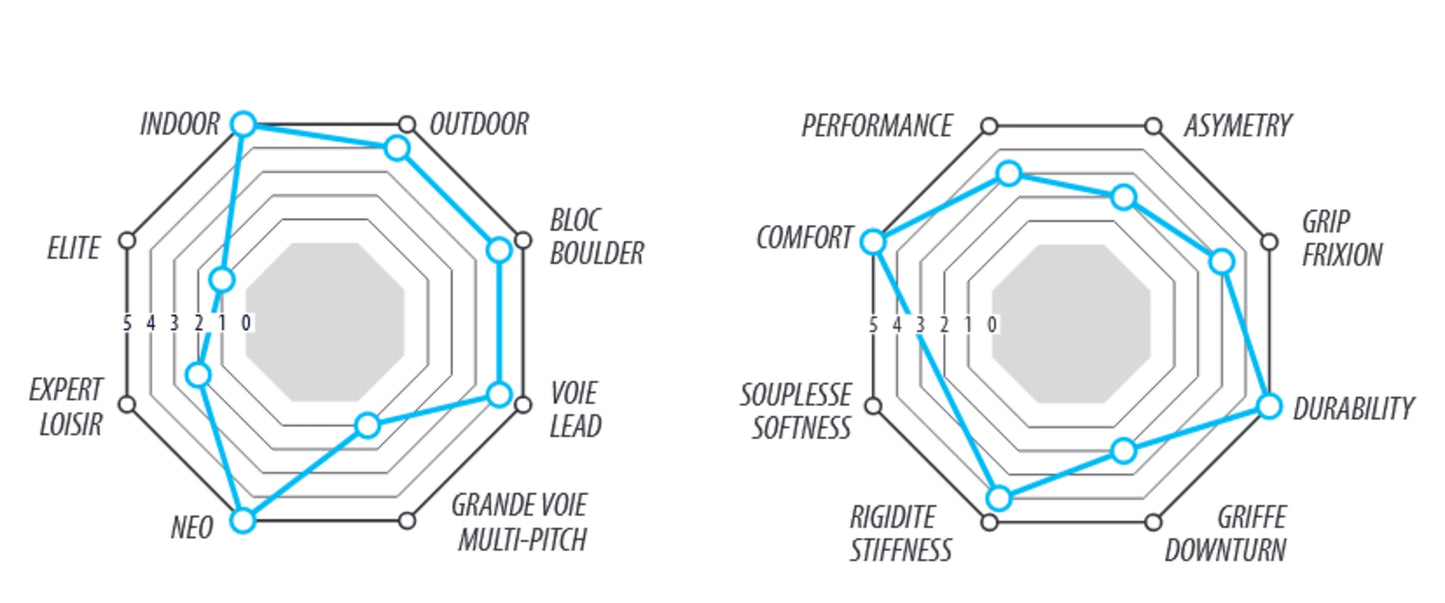
The fit is adjusted to the shape and size of a child's foot, so they are extremely comfortable: EB rate comfort at 10/10, with low asymmetry (3/10) and minimal claw (2/10). A breathable, vegan, anti-bacterial microfibre upper and a 4mm Spider Rubber sole give young climbers confidence and help them progress more quickly than climbing in trainers. Velcro closure keeps things simple, and a loop helps with slipping the shoe on and clipping it to a bag. Suitable for indoor climbing and first climbing courses, and ready to go along on a child's first big routes.
A proper climbing shoe – same materials and performance as EB's adult shoes, sized for kids
Kind to growing feet – comfort rated 10/10, with low asymmetry and minimal downturn
Grip that builds confidence – 4mm Spider Rubber sole beats climbing in trainers
Easy on and off – Velcro closure and a pull loop that also clips to a bag
Healthier upper – breathable, vegan and anti-bacterial microfibre
Good to know
Upper: Dynamic microfiber, vegan, anti-bacterial
Sole: Spider Rubber 4mm
Closure: Velcro
Asymmetry 3/10, claw 2/10, comfort 10/10
Flex: 1.25 dan
Spacers: none
Weight: 280g in size 32
Colour: Black / Blue / White
EB make the Kids Neo in EU 28 to 34; this listing covers EU 28–31
Size guide: EU 28 = US 11 = UK 10; EU 29 = US 12 = UK 11; EU 31 = US 13 = UK 12.5; EU 32 = US 1.5 = UK 13
Who it's for
Children starting out in climbing, from indoor sessions and beginner courses through to their first outdoor routes, and parents who want a proper vegan climbing shoe for them rather than trainers.
Excellent customer service. After an issue with the returns lable the team picked this up and sorted within less than half an hour. Fab well done team.
Choosing a selection results in a full page refresh.
Opens in a new window.
PayPal Pay Later Messaging
Step 1: Choose message placement
Click the button below and then hover over your page to select a placement.
Step 2: Paste and save
You have copied the placement for the Product Page.
Go back to the App Embeds section, and in the Paypal Advanced Settings, paste the copied value into the
Product Page field and click the 'Save' button in the top right corner.