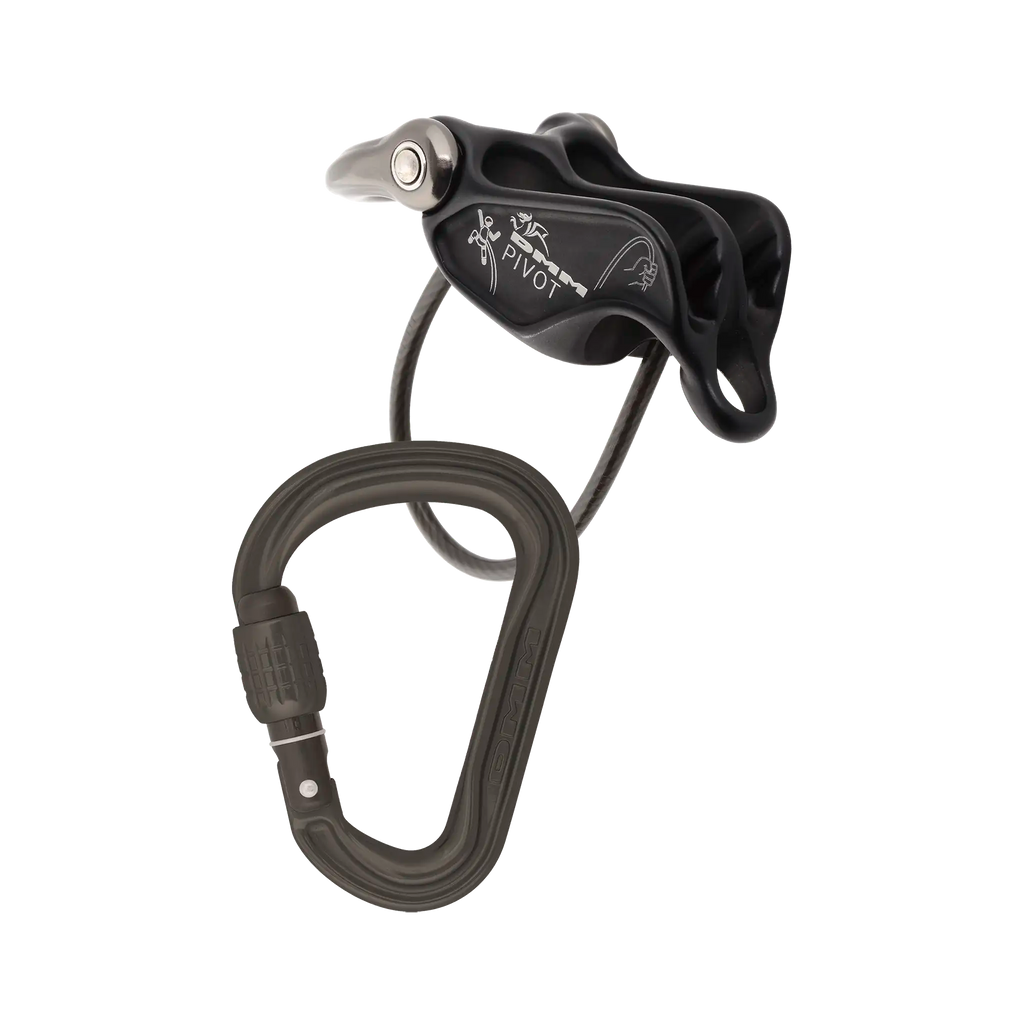
The DMM Pivot & Phantom HMS belay set in Matt Grey makes guide mode easier. The Pivot's pivoting shackle gives you more leverage when lowering a second from above, and two friction positions let you tune rope handling for different diameters and situations, all matched to a lightweight Phantom HMS screwgate.
Anyone who has fought to lower a second on a standard guide-mode plate will appreciate the Pivot: the attachment point pivots, so releasing and lowering takes less strain and stays controlled. Bring up one or two seconds on multi-pitch routes, then switch to a smoother or higher-friction rope path for belaying from below. High-performance internal geometry keeps rope control consistent, and the complete set weighs 130g. The Matt Grey finish is the understated option.
Product Details
Colour: Matt Grey
Set weight: 130g
Half/twin rope range: 7.3-9.2mm
Single rope range: 8.7-11mm
Standards: EN 15151-2:2012, EN 12275:2013 H, EN 362:2004 B
Why you'll love it
Controlled lowering – the pivoting guide-mode shackle gives more leverage and less strain
Flexible braking – two friction settings for a smoother or higher-friction rope path
Ready-matched set – supplied with a Phantom HMS screwgate for a neat, compatible setup
Wide rope compatibility – modern single, half and twin ropes within the stated ranges
Good to know
Guide mode for bringing up one or two seconds on multi-pitch routes; also for belaying, lowering and abseiling
Half/twin rope range: 7.3-9.2mm; single rope range: 8.7-11mm
Set weight: 130g
Device standard: EN 15151-2:2012; connector standards: EN 12275:2013 H and EN 362:2004 B
Colour: Matt Grey
Stock code: A1160MG/572
Use only with compatible ropes and locking connectors, and read and follow the DMM instructions before use
Who it's for
Intermediate and advanced climbers on trad and alpine multi-pitch routes, anyone who regularly belays from above, and parties using single, half or twin ropes.
Choosing a selection results in a full page refresh.
Opens in a new window.
PayPal Pay Later Messaging
Step 1: Choose message placement
Click the button below and then hover over your page to select a placement.
Step 2: Paste and save
You have copied the placement for the Product Page.
Go back to the App Embeds section, and in the Paypal Advanced Settings, paste the copied value into the
Product Page field and click the 'Save' button in the top right corner.